Run every job from estimate to close-outwithout paying for your own growth.
Projects, RFIs, submittals, daily logs, budgets, change orders and selections, with client and sub portals and a field app that works offline. Flat, published pricing and unlimited users.

Start the day with the whole picture
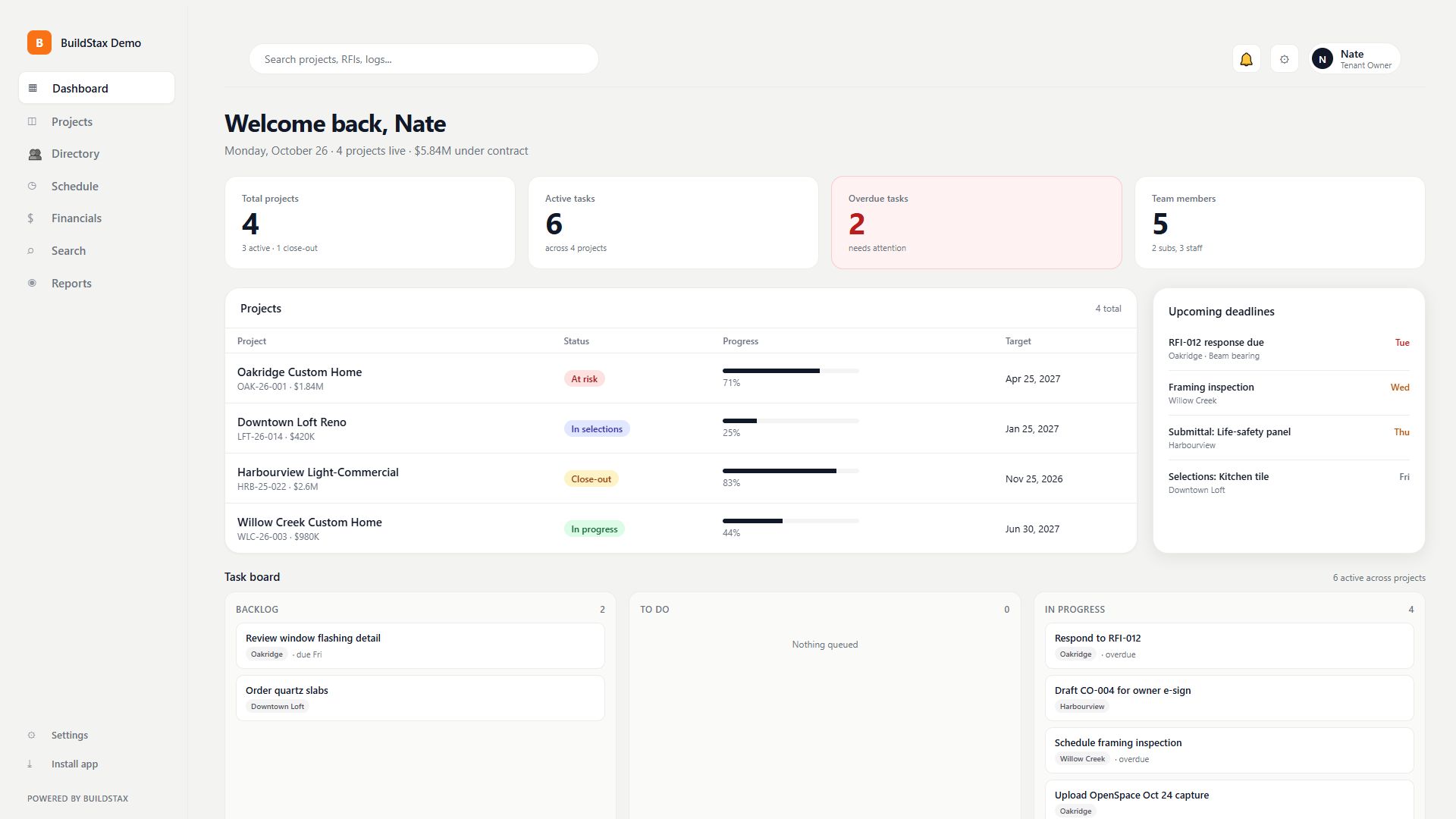
Projects live, tasks overdue and what is due this week across every job, on one screen. You never open a spreadsheet to answer "how are we doing?"
- Live project list with status and progress
- Upcoming deadlines across all jobs
- A task board for the whole team
Watch how it works · 17s
One record for every job
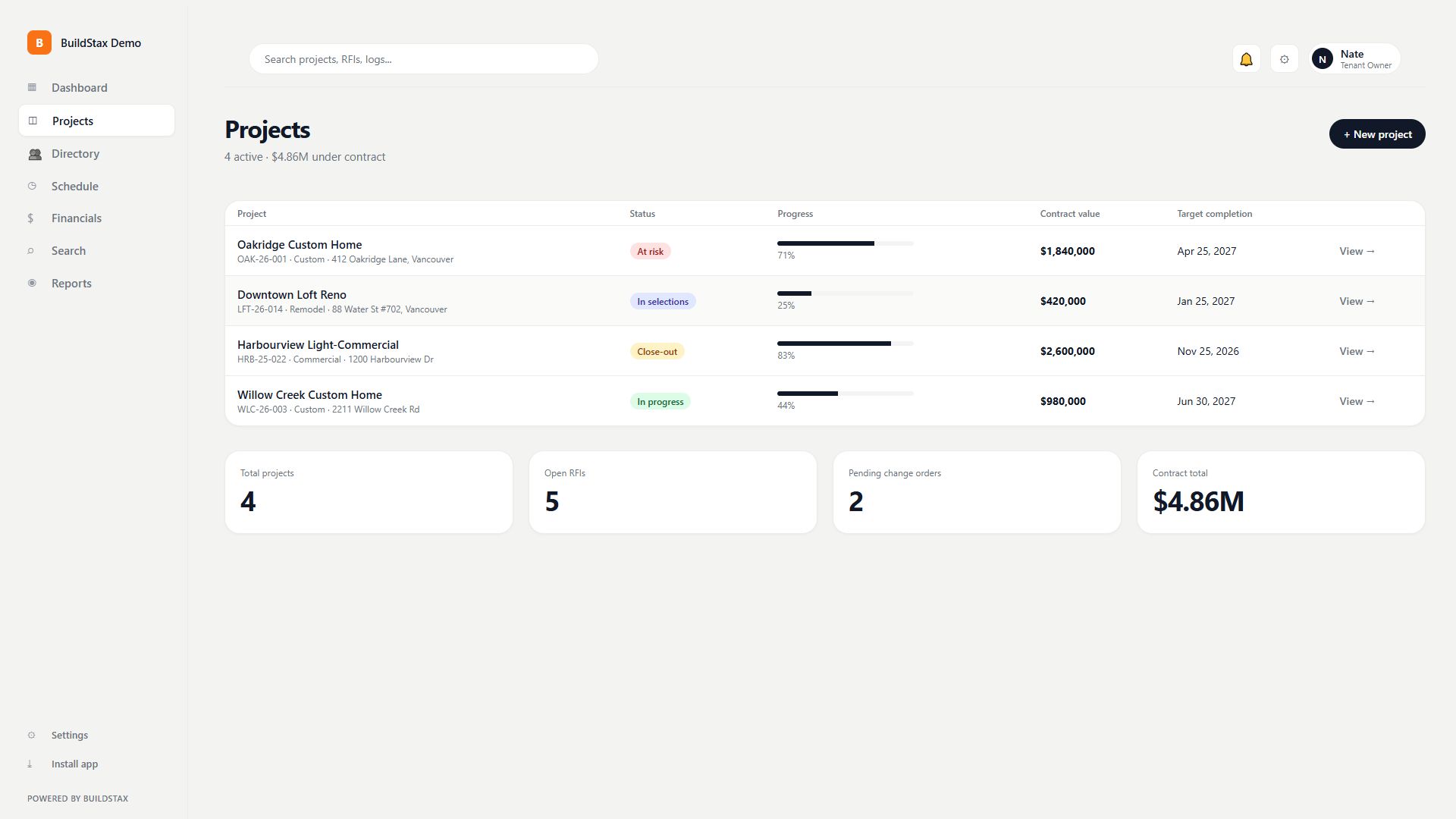
Contract value, schedule, address and the whole team sit in one project header, with every module from RFIs to warranty claims a click away. Nothing lives in email.
- Contract value, address and team in one header
- Every module under the same project
- Warranty claims tracked with the job
Watch how it works · 15s
RFIs and submittals that don't get lost
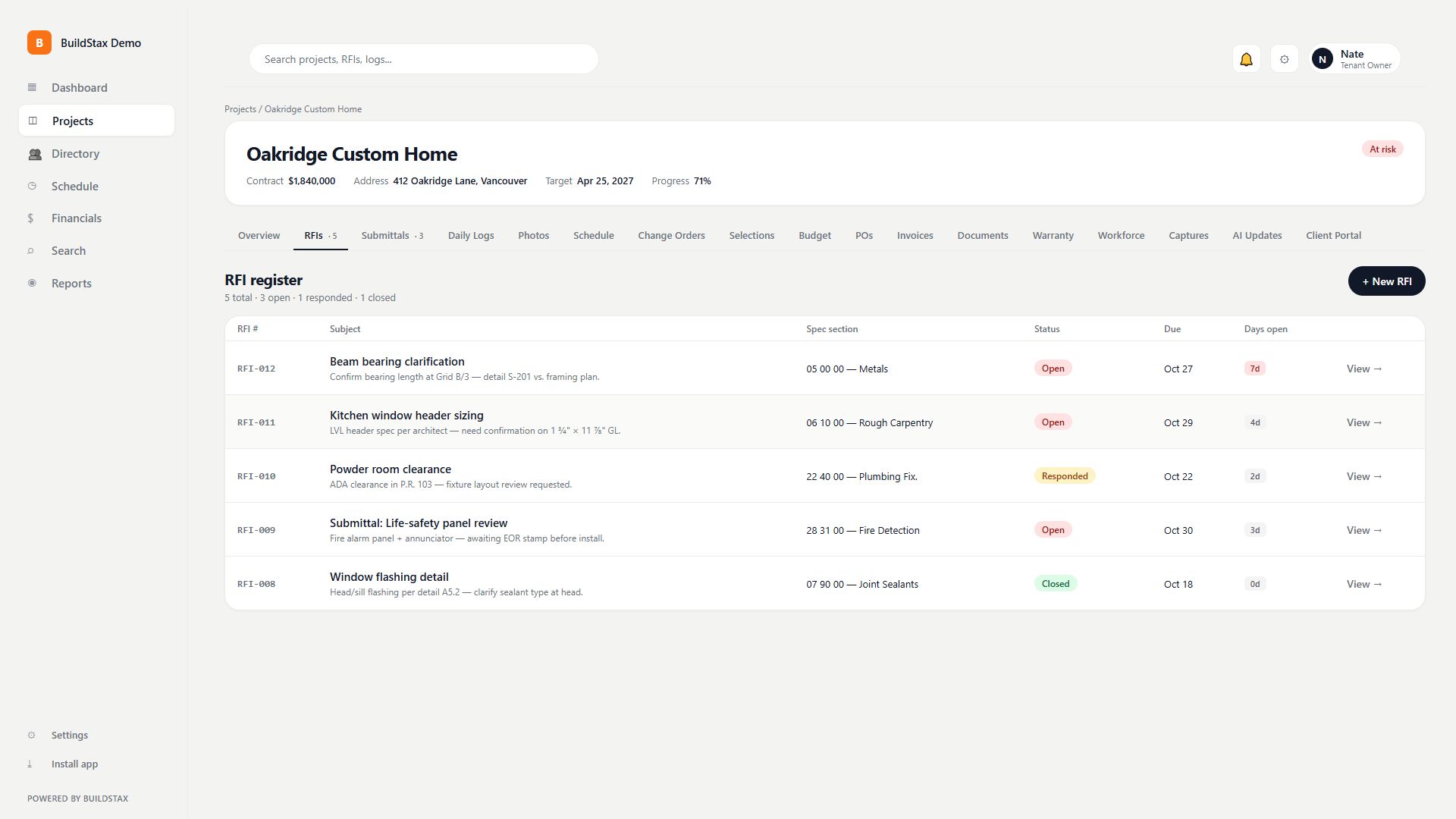
RFIs are numbered, threaded and timestamped, with status you can read at a glance: open, responded, closed. Submittals get the same treatment, with a register, revisions and specification sections.
- Numbered, threaded RFIs with due dates
- Submittal register with revisions
- Answers live in the project, not a text message
Watch how it works · 17s
Daily logs the field will actually fill in
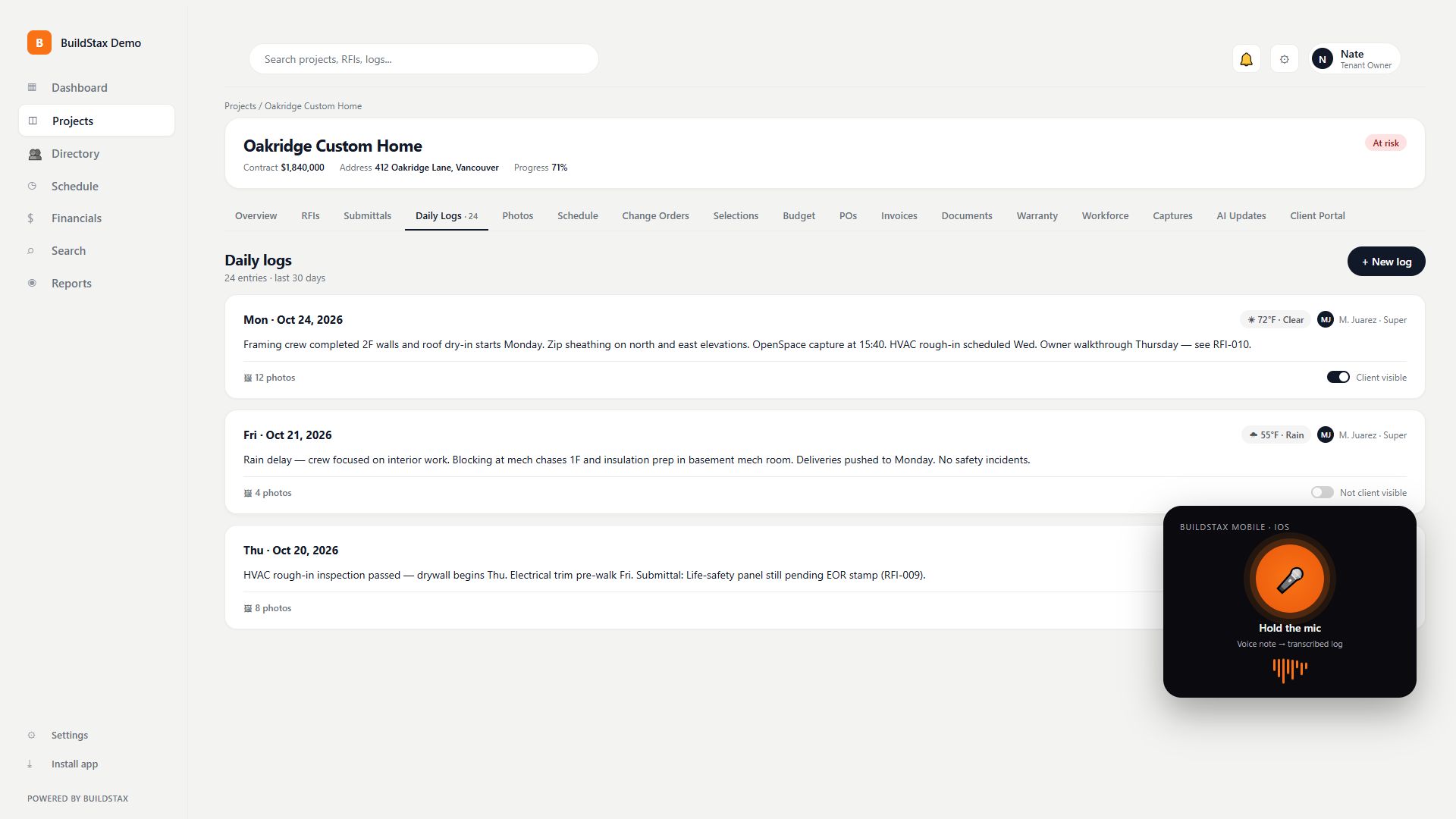
Weather, who was on site, what got done and the photos. On mobile you can dictate a voice note into the log. You decide, line by line, what the homeowner is allowed to see.
- Voice dictation on mobile
- Photos attached to the day they were taken
- Choose what the client sees, line by line
Watch how it works · 20s
Photos, drawings and site capture in one place
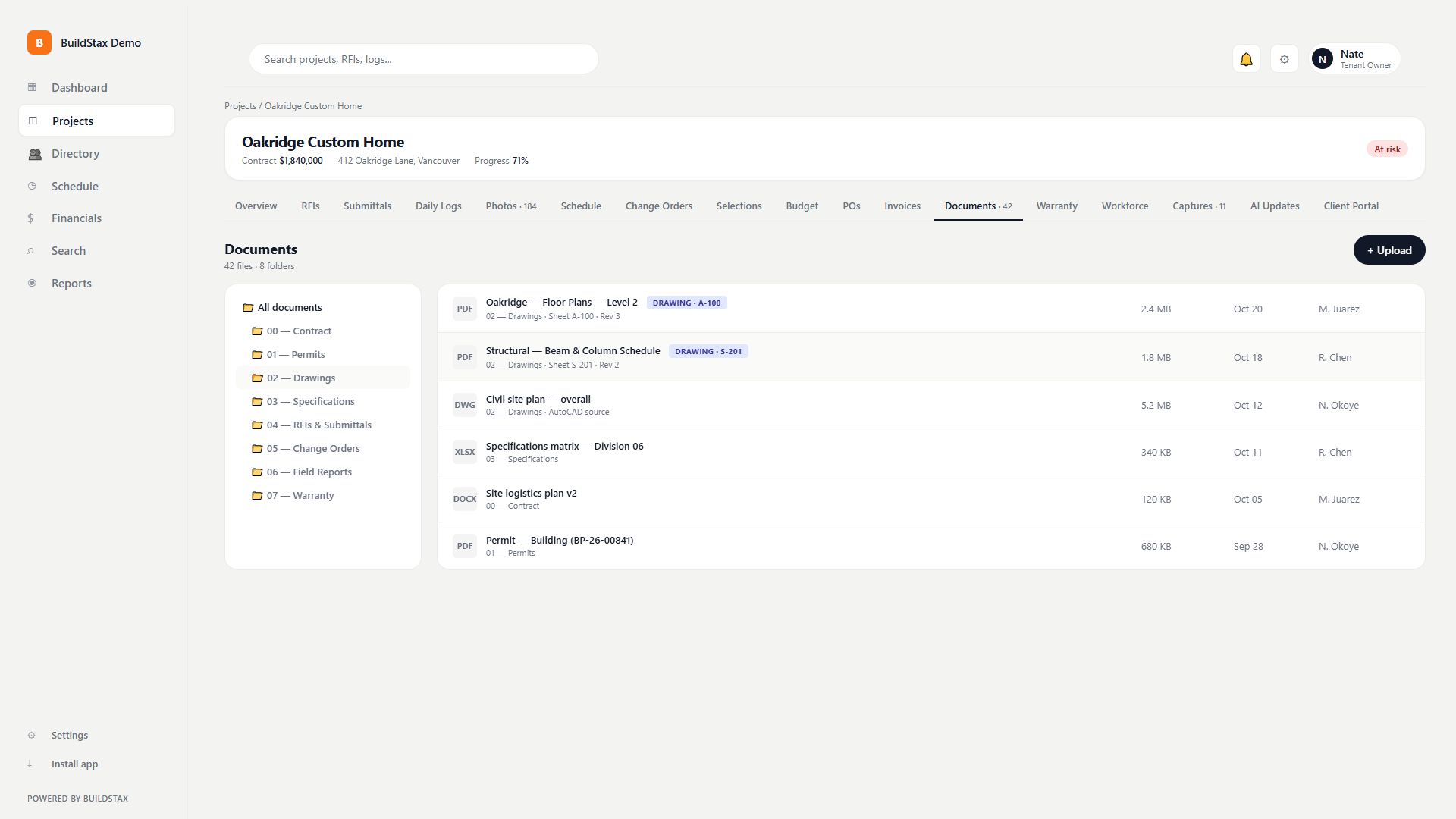
Every photo is timestamped and captioned. Documents are foldered, with drawing sheets tagged by sheet number. Reality-capture from OpenSpace and DroneDeploy feeds straight into the project.
- Timestamped, captioned photos
- Drawing sheets tagged by sheet number
- OpenSpace and DroneDeploy capture ingest
Watch how it works · 22s
A schedule per job, and one for the whole book
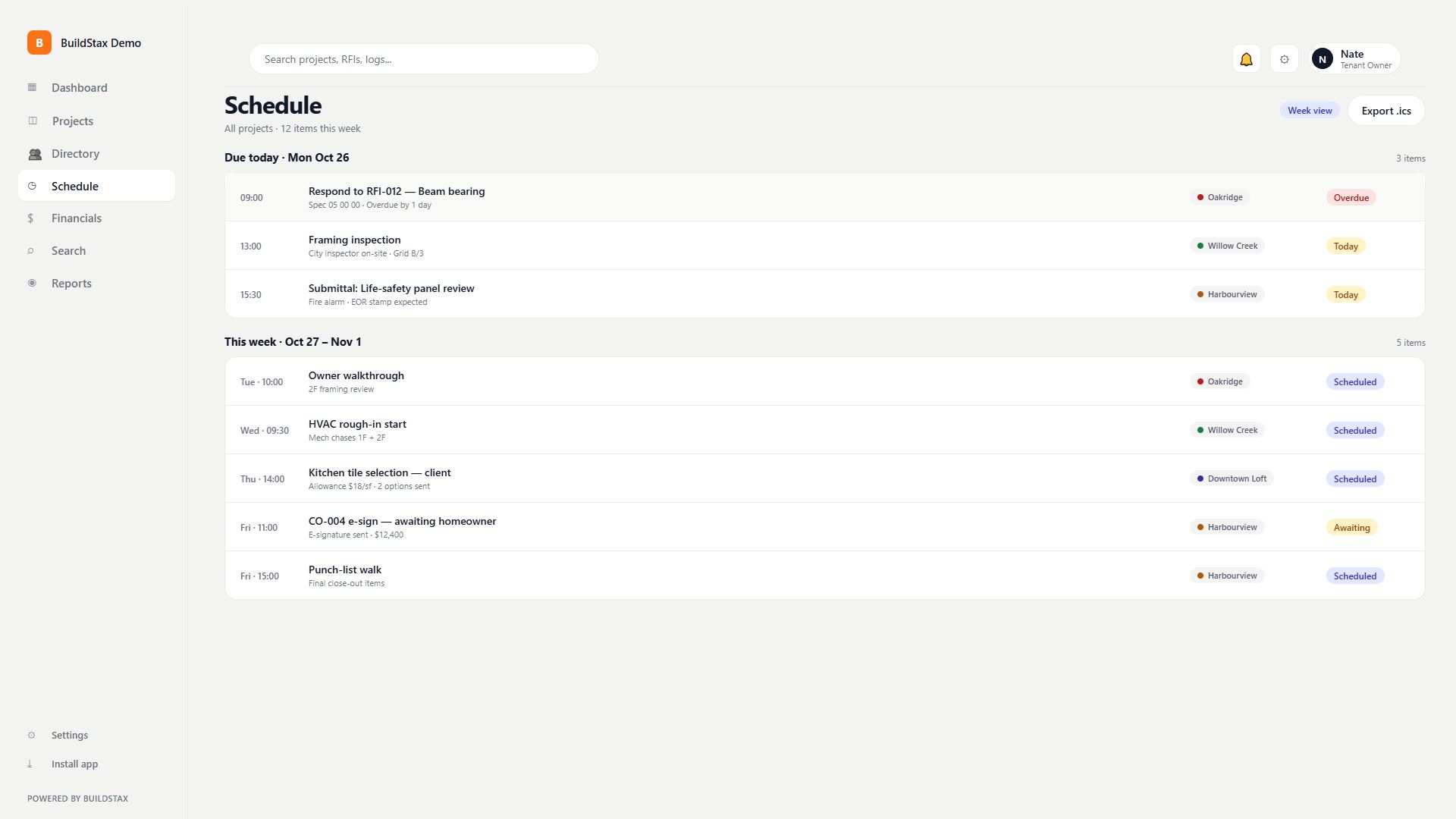
Each project has its own schedule, phase by phase, with percent complete. One level up, a cross-project view shows what is due today, this week and this month across every job.
- Phase-by-phase schedule with percent complete
- Cross-project view of every deadline
- Schedule impact carried into change orders
Watch how it works · 15s
Change orders and selections, signed and logged
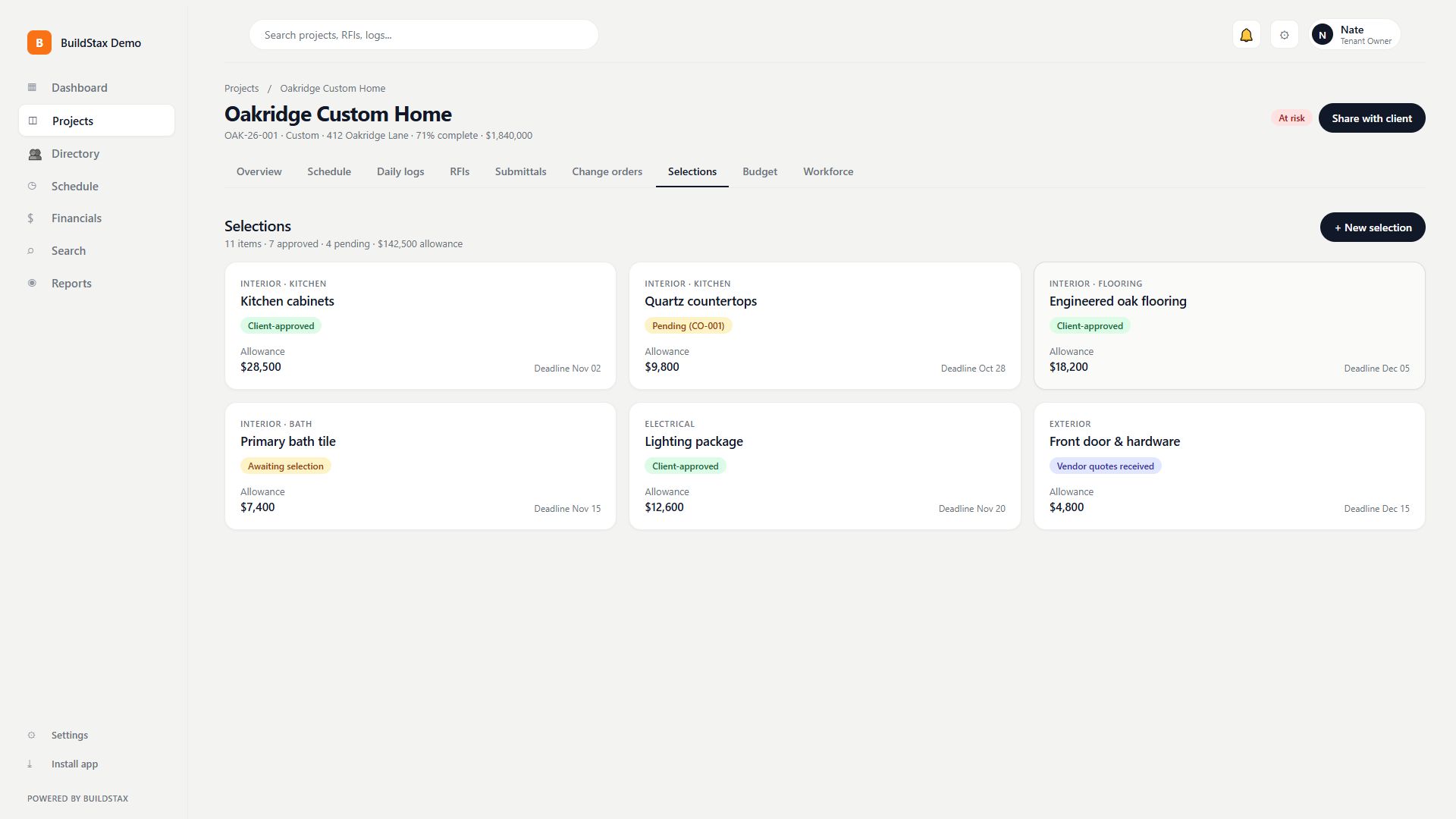
Change orders carry a line-item breakdown, markup, schedule impact and a client e-signature. Selections work the same way: an allowance, a deadline and the homeowner's approval, on the record.
- Client e-signature on change orders
- Markup and schedule impact on every line
- Selections with allowances and deadlines
Watch how it works · 20s
Budgets that follow the money
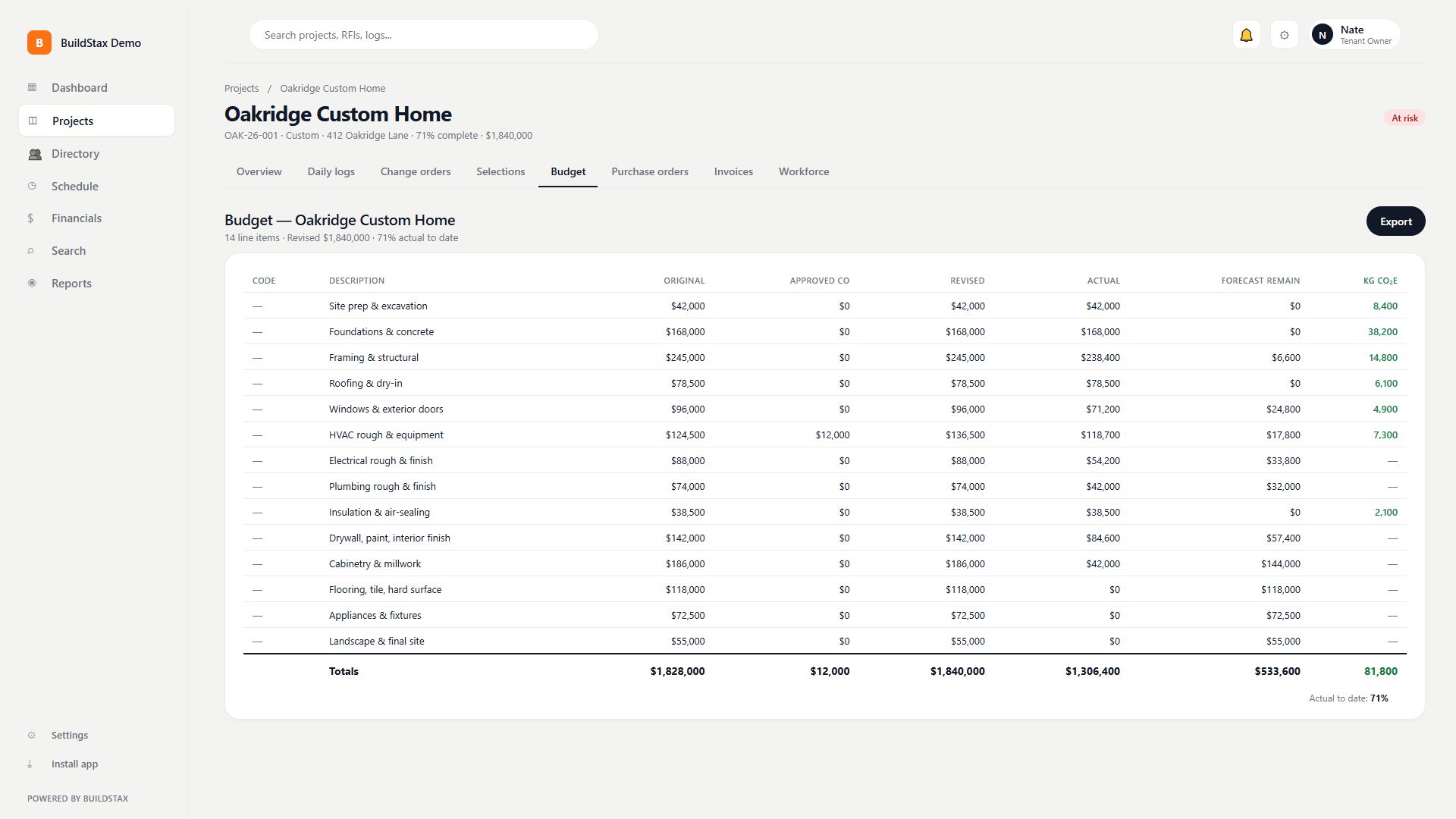
Original budget, approved changes, revised, actual to date and forecast to complete. Purchase orders go out, invoices come in, and the WIP report ties it together.
- Live budget with forecast to complete
- Purchase orders and invoices on the job
- WIP report across projects
- Embodied-carbon estimates per line on Pro
Watch how it works · 22s
See who is on site
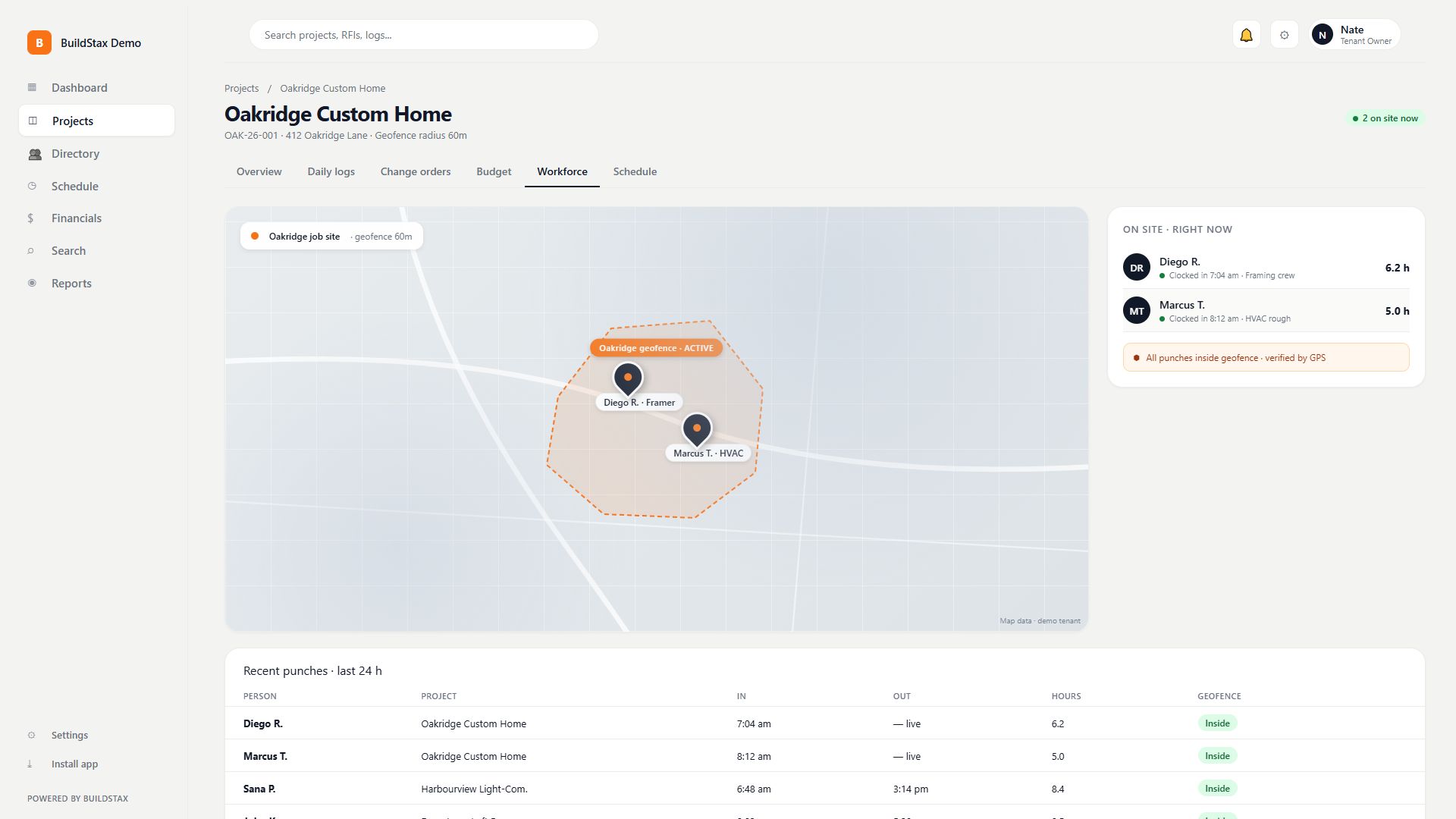
A live map shows who is clocked in and whether they are inside the geofence you drew around the job site. Crews clock in from their phone with GPS.
- Live workforce map
- Geofenced, GPS-verified clock-in
- Early departures show up in the log
Watch how it works · 15s
Client and sub portals
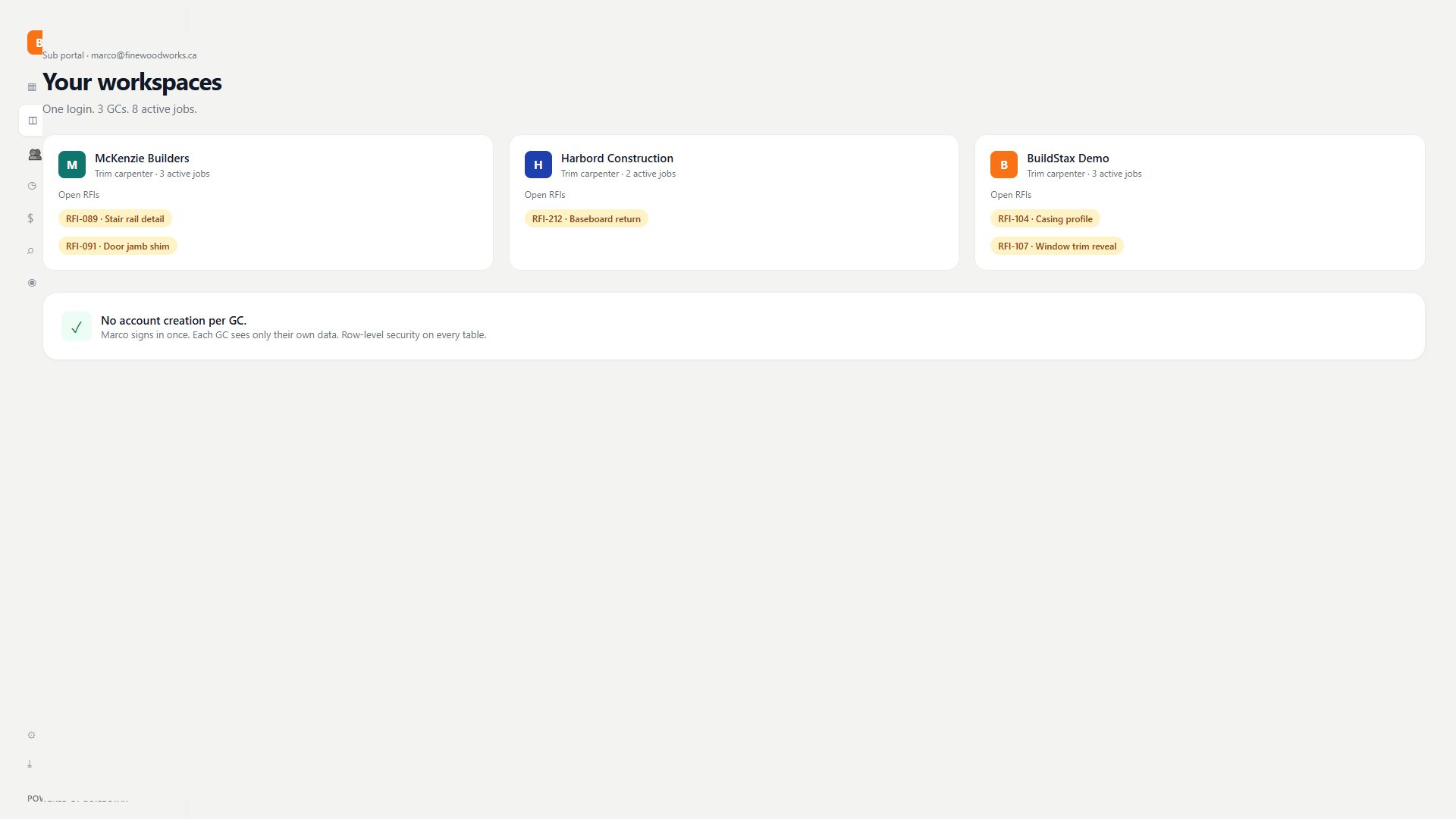
Homeowners get their own login and see what you choose to show them: decisions, selections, photos and invoices. Subs get one login across every GC they work with.
- Homeowner decisions, selections and invoices
- One sub login across many GCs
- You control what is visible
Watch how it works · 17s
A field app that works without signal
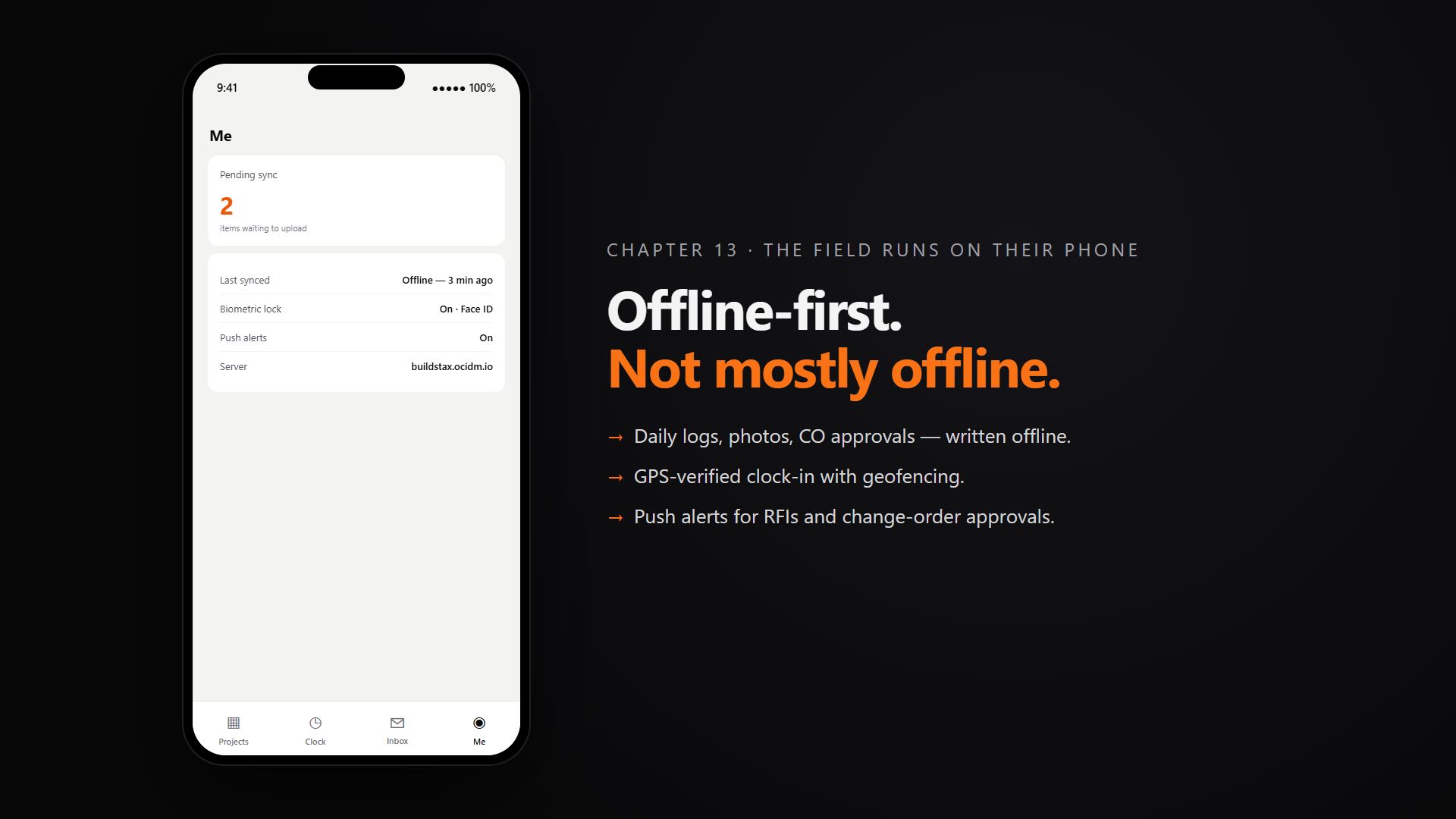
The mobile app is offline-first. Write a log, take photos, approve a change order or clock in with no signal, and it syncs when the phone is back online. Install it straight from the browser.
- Offline-first with automatic sync
- Biometric lock on the app
- Geofenced clock-in
Watch how it works · 27s
Open to AI agents from day one
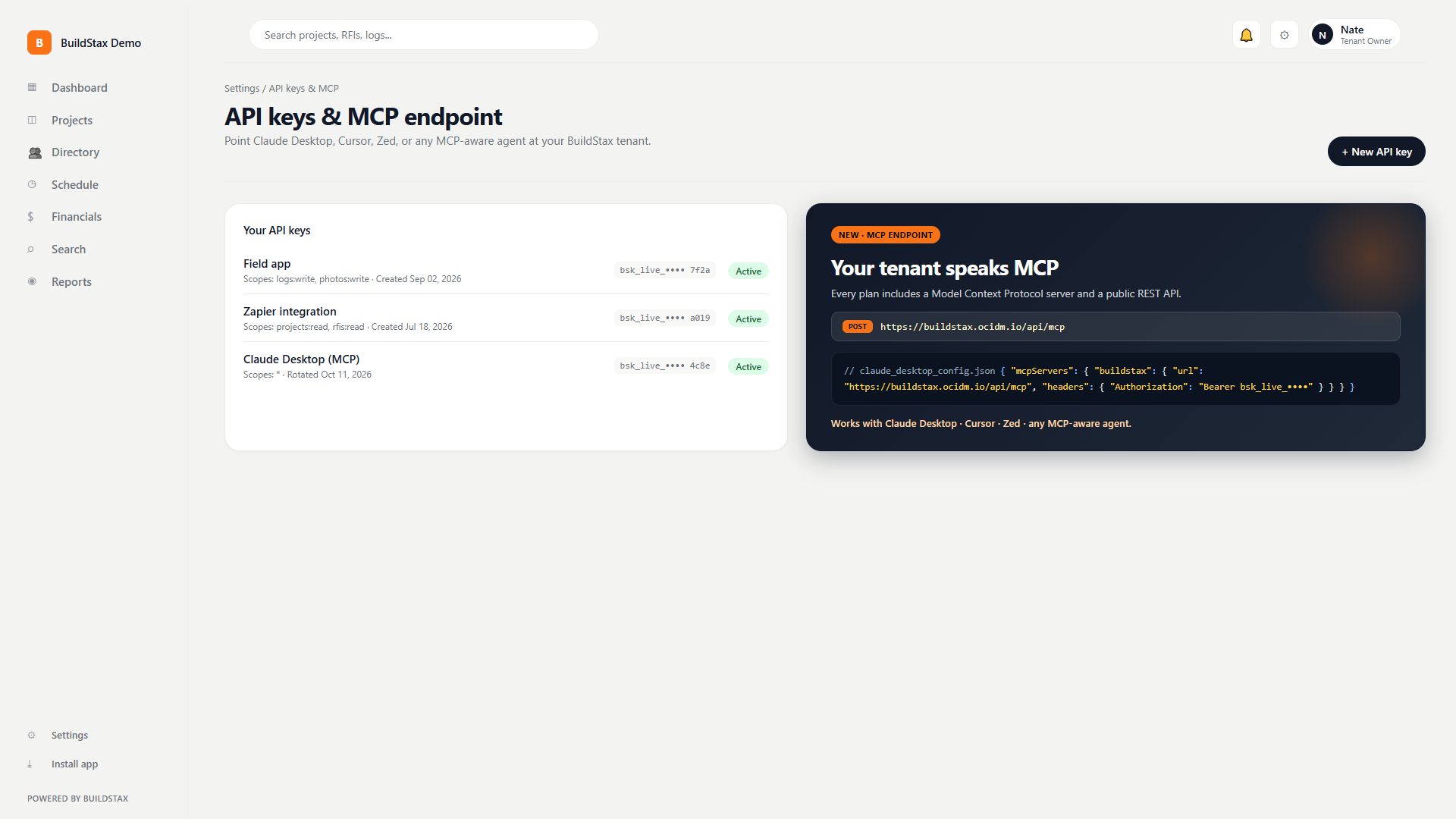
Every plan includes a native MCP server and a public REST API, so Claude, Cursor or any MCP-aware agent can work with your workspace, with full audit logging. On Pro, AI drafts weekly client updates from your own logs and offers semantic search across everything.
- MCP server and public API on every plan
- Webhooks and scoped API keys
- AI client-update drafts and semantic search on Pro
Watch how it works · 41s
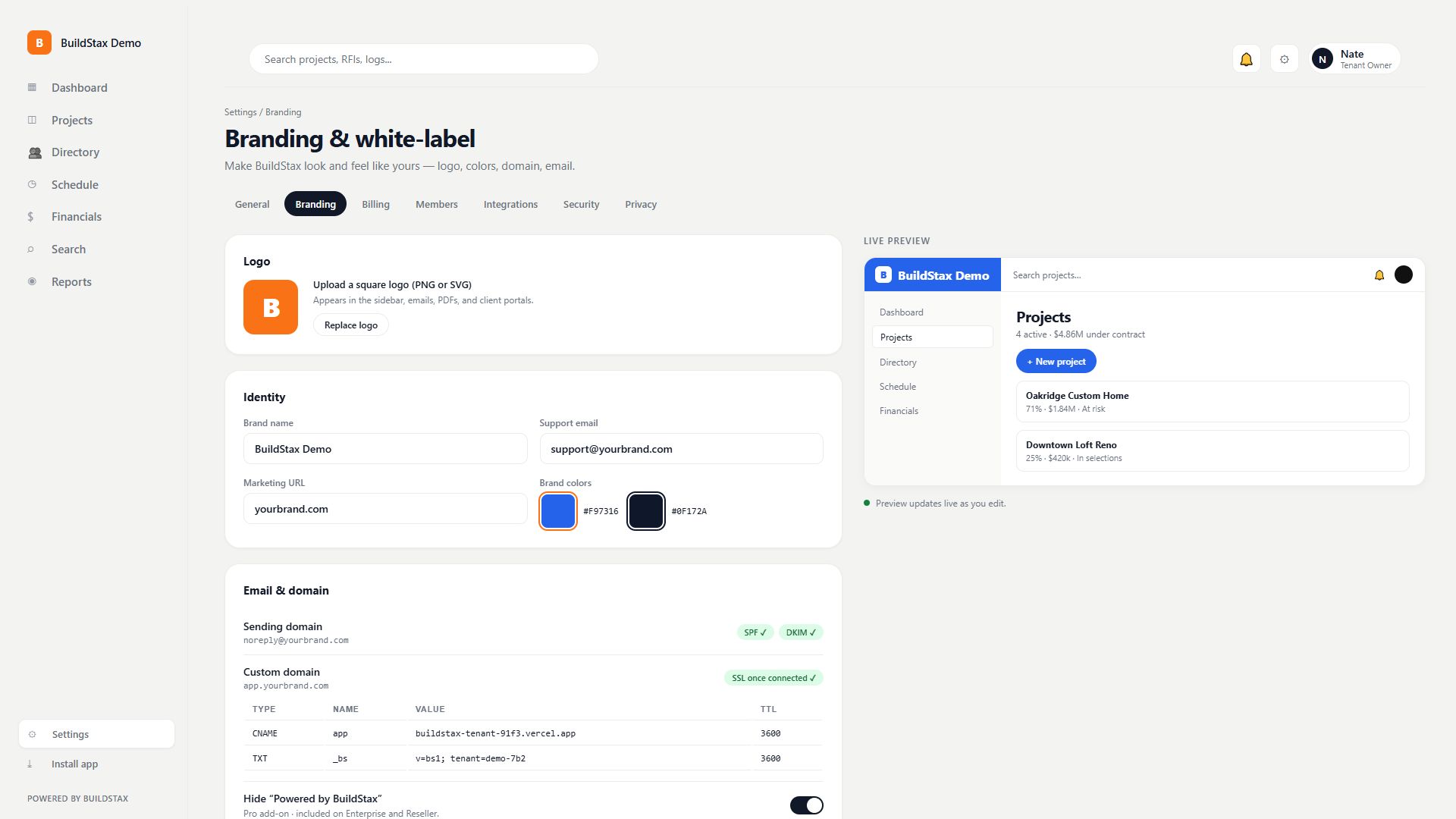
Your brand, not ours
Put your logo, colors and name across the app, the client portal and your emails. A custom domain and your own sending address are available once connected.
- Your logo, colors and name everywhere
- Custom domain and sender once connected
- Included with Enterprise and the Reseller tier
Watch how it works · 22s
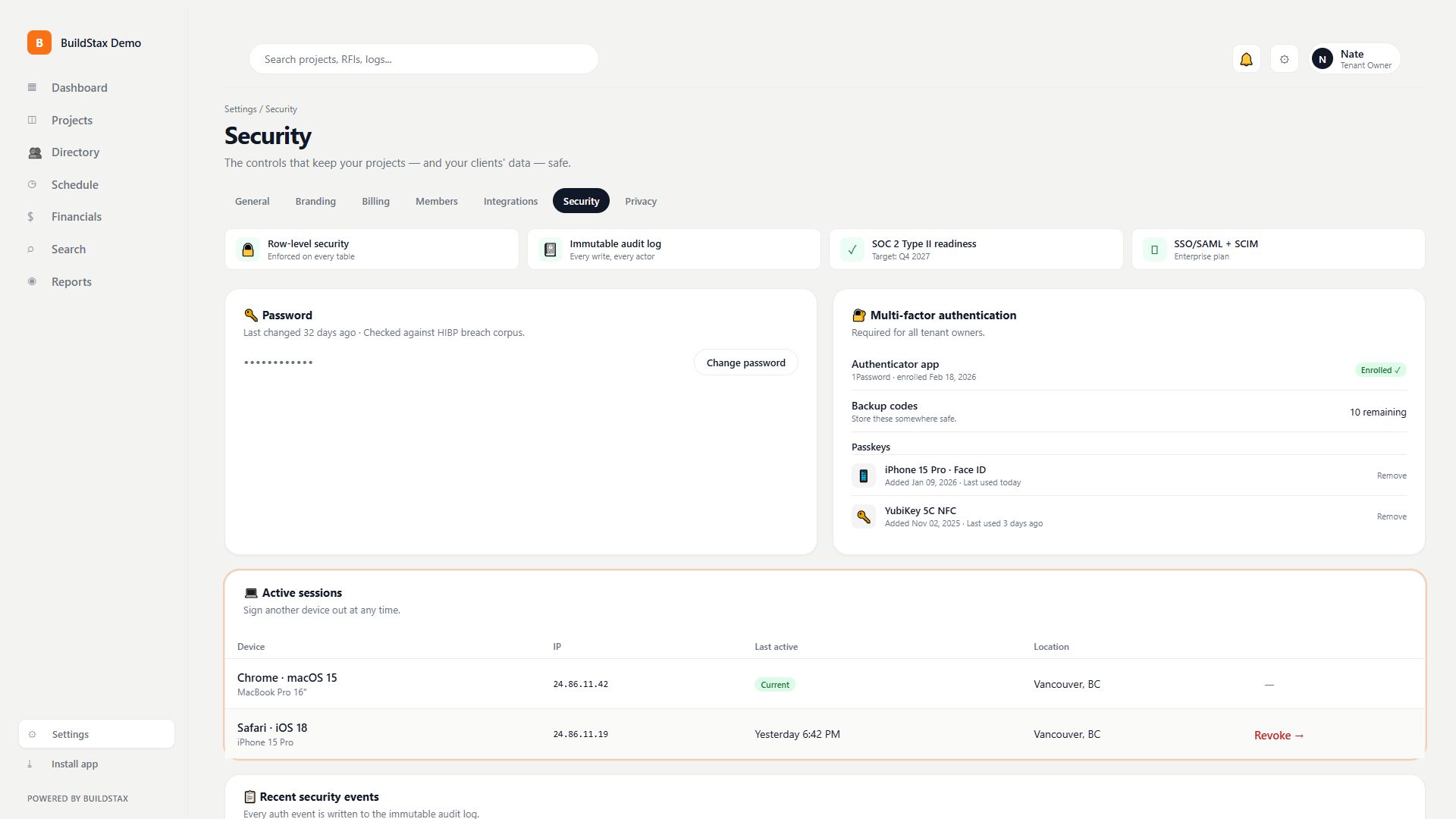
Security you can check
Row-level security on every table, an immutable audit log, multi-factor authentication, passkeys and a session register you can revoke. SOC 2 Type II readiness is a target for Q4 2027; it has not been issued.
- Row-level security on every table
- MFA, passkeys and a revocable session register
- Immutable audit log of every write
Watch how it works · 25s
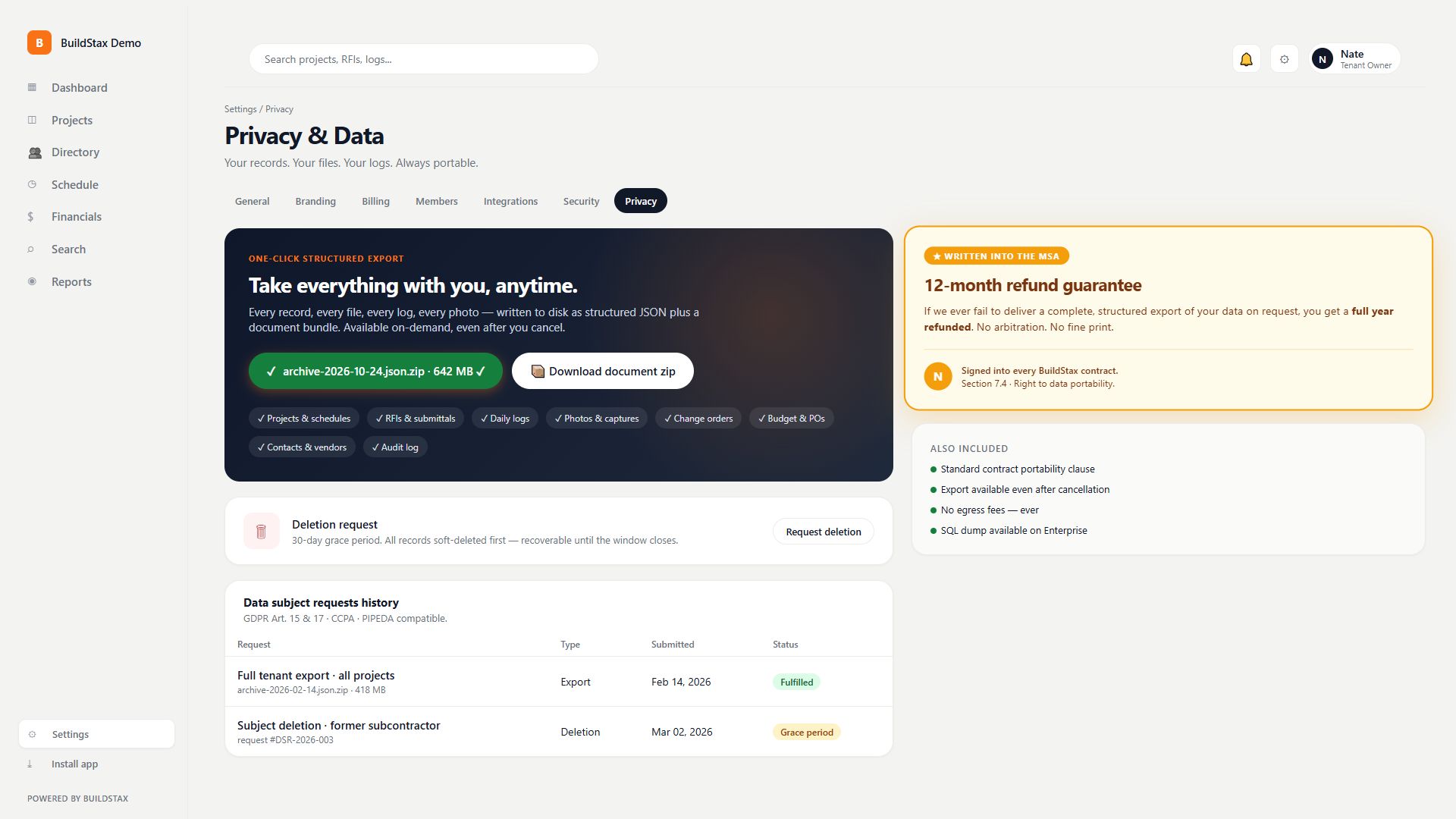
Your data stays yours
One button exports a structured JSON file of every record, with every file in a zip, even after you cancel. If an export ever fails, the contract gives you a 12-month refund.
- One-click structured export
- Files included in a zip
- 12-month refund if an export fails
Watch how it works · 17s
Try it on a real job.
30-day trial, no card. Import projects from a CoConstruct CSV, and export everything whenever you want out.